

On this page5 sections
Somewhere in your business there is a spreadsheet that runs everything. Maybe it tracks orders, maybe it manages inventory, maybe it is the schedule, the pricing and the reporting all in one workbook with fourteen tabs, and one person is the only one who really understands how it works. That is not a criticism, every business starts this way. The problem is not that you used spreadsheets. It is that you are still using them after the business outgrew them.
The Signs You Have Outgrown Spreadsheets
These are the patterns I see in every business that contacts me about replacing their spreadsheets with software. If three or more sound familiar, you are past the tipping point.
You have one person who "owns" the spreadsheet. They built it over months or years. They know where the formulas are, which cells to never touch, which macros run on open. If they leave, the business has a serious problem. Your operations depend on one person's memory of a file they built incrementally.
Data entry errors are a regular cost of business. Someone types a number in the wrong cell. Someone overwrites a formula by accident. Someone saves the file while someone else has it open, and one version wins. You discover the error days later, usually when a customer complains or a report does not add up.
You email spreadsheets to each other. There are three versions floating around. Sales has their copy. Operations has a different copy. Finance downloaded a copy last week that no longer matches either. "Which one is the latest version?" is a question asked weekly.
Reporting takes hours. To get an answer to a simple question ("How many orders did we do last month?" "What is our margin on product X?"), someone has to build a pivot table, clean the data, filter out the test entries, and hope the formulas are correct. What should be a five-second lookup takes an afternoon.
You cannot see what is happening right now. Spreadsheets show you what someone last entered. They do not show you what is happening at this moment. You cannot see live inventory. You cannot see which orders are overdue. You cannot see how many tasks are waiting for someone who is out today.
Your process has grown more complex than what a spreadsheet can model. Multi-step approvals. Conditional pricing. Inventory across multiple locations. Customer accounts with credit terms. Time tracking with billing rules. At some point, a flat grid of rows and columns is the wrong data structure for what your business actually does.
You have tried adding more spreadsheets. The solution to a spreadsheet that is too complex is never "add another spreadsheet." But that is what happens. Now you have a web of interconnected files with VLOOKUP formulas referencing each other across folders. Breaking one breaks several.
What Comes Next
You have three options. Each is honest about tradeoffs.
Option 1: Off-the-Shelf Software
There are SaaS tools for almost everything. Monday.com for project management. Xero or QuickBooks for accounting. Cin7 for inventory. Odoo for operations.
When this works: Your processes are standard. You can adapt your workflow to the tool's workflow. You do not need your systems to be deeply integrated. You are comfortable with monthly subscription costs that scale with users.
When this does not work: Your business has specific processes that the tool does not support. You need deep integrations between systems. You want to own your data. The tool's pricing at your team size becomes expensive. You spend more time working around the tool's limitations than working in it.
Off-the-shelf is the right answer for many businesses. If it fits, use it. There is no reason to build custom software when a SaaS tool solves the problem.
Option 2: Custom Software
Custom software is built specifically for how your business operates. It models your actual processes, your actual data, your actual rules.
When this works: Your operations are specific enough that off-the-shelf tools cannot model them. You have multiple processes that need to be connected. You need user permissions, audit trails, and automation. You need reporting that matches how your business actually thinks about performance. You plan to grow and need a system that grows with you.
When this does not work: Your processes are generic and a SaaS tool would do the job. You are not ready to invest in a proper discovery process. You do not have someone internally who can describe how the business actually operates. You need a solution tomorrow (custom software takes weeks to months).
Option 3: Keep the Spreadsheets
This is a real option. If the spreadsheets work, the errors are manageable, and the business does not need to scale, there is no reason to change. Do not replace spreadsheets for the sake of modernizing. Replace them when the cost of keeping them (errors, wasted time, missed opportunities, key-person risk) exceeds the cost of replacing them.
What Custom Software Actually Looks Like
When I say "custom software," I do not mean a million-rand SAP implementation with consultants in suits.
I mean a web application your team opens in a browser. It does what your spreadsheet does, but properly. User logins. Permissions. Forms that validate data before saving. Dashboards that show you what is happening right now. Automated tasks. Email notifications. Reports you can run in seconds.
I built a platform called BX1X to replace exactly this: spreadsheets, disconnected tools and manual processes, in one system. It now runs on more than 1,900 endpoints. Billing. Inventory. Time tracking. Project management. Customer management. Reporting. All in one application that the team accesses from any browser.
Not every business needs a platform that size. Some need three modules. The point is that the path from spreadsheets to software is not as long or as expensive as most people think. You start with the most painful spreadsheet. You replace that one first. Then you expand.
A Real Example
I have done this twice, in different ways. One client needed suppliers to be found by region from data that lived in a spreadsheet, so I built a small web app that reads that data through an API and returns region-filtered results instead of someone scrolling a workbook. Another business ran its stock, customers and orders from spreadsheets across 7 branches and 350 employees. That one grew into a full point of sale system, built solo, handling 5,000 transactions a day. Both started exactly where you might be now: a spreadsheet one person understood.
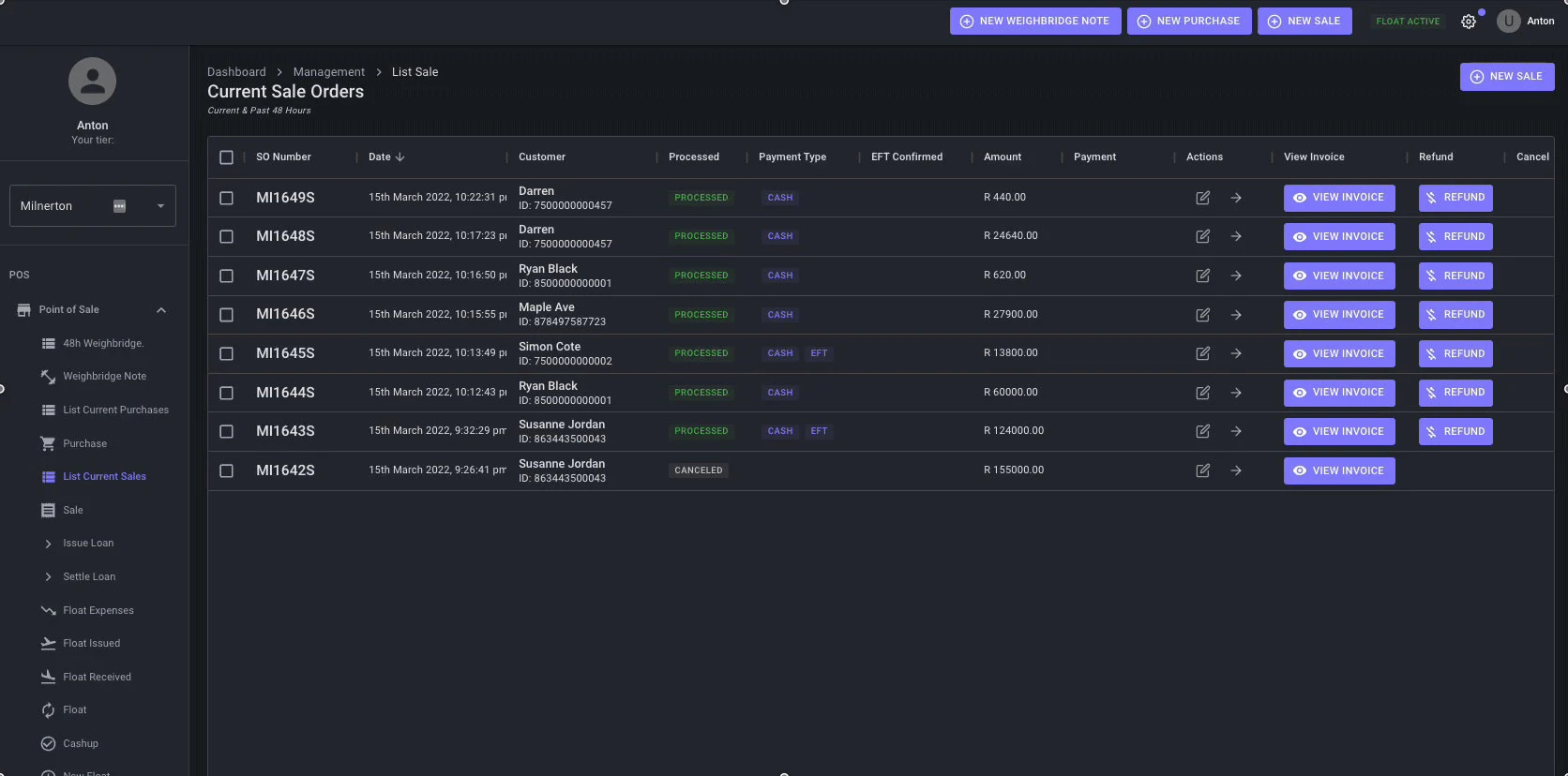
Point of sale, 2021 to 2022
From branch spreadsheets to one system for every till.
Weighing, buying, selling, cash floats and cash-up, with every branch working from the same live data.
- 7
- branches
- 350
- employees
- 5,000
- transactions a day
- 13 months
- built by me, solo
The Short Version
Spreadsheets are where every business starts. They stop working when the business needs multiple users, data integrity, automation, reporting, or integration with other systems. The answer might be an off-the-shelf tool. It might be custom software. It might be keeping the spreadsheets for now.
The important thing is making that decision consciously, not discovering it when a critical spreadsheet breaks and nobody knows how to fix it.
If your business is running on spreadsheets and you are starting to feel the cracks, let us talk about what comes next.
For your technical person
Spreadsheets are individual files. They were designed for individual work. The problems above are not bugs. They are the natural outcome of using a single-user tool for multi-user, multi-process operations.
No user permissions. Everyone who opens the file can change anything. There is no way to give the warehouse team access to inventory without giving them access to pricing, payroll formulas, or customer notes.
No audit trail. When something changes, you do not know who changed it, when, or what it was before. Google Sheets has version history, but "scroll through 400 versions to find when someone deleted row 247" is not a business process.
No automation. Spreadsheets do not send reminders, trigger alerts, create follow-up tasks, or enforce workflows. A task that should be automatic ("when an order ships, notify the customer and update inventory") requires a person to do it manually and remember to do it every time.
No integration. Your spreadsheet does not talk to your payment gateway, your accounting software, your email system, or your website. Every connection between your spreadsheet and another tool is a person copying data from one screen to another.