I built a free email signature creator.
Not a template gallery you have to sign up for.
Not a free trial.
Not one of those tools that asks for your name, email and password before it shows you a single layout.
A working browser app.
You can use it here: Free Email Signature Creator.
It captures your name, role, company, contact details, social links, and brand colours, and produces email-safe HTML you can paste straight into Gmail, Outlook, Apple Mail or Thunderbird. The output is table-based with inline CSS and web-safe fonts, so it survives the trip from the editor to the email client.
No signup. No cloud account. Your data stays in your browser.
That is the point.
Why I Built It
Not every business, whether micro, mid-size or large, wants to hand its company profile and staff contact details to a SaaS it has never heard of, just to get a tidy email signature.
Sometimes you just incorporated a small business and you need an email signature that looks like the company actually exists. The free options online want a credit card, or your work email, or both.
Sometimes you are a sole trader or a freelancer sending quotes from a phone, and the signature your phone generates is "Sent from my iPhone" and you would like to do better.
Sometimes you are an established SME and the signatures across your team are inconsistent, and you want a clean reference layout people can copy and adapt.
Sometimes you are an in-house marketing or brand person at a larger company and you need to mock up a signature for the executive team to approve before IT rolls anything out.
Sometimes you are a bookkeeper or an accountant and your clients keep asking you the same thing: "Can you make my email look professional?"
Sometimes you run a legal, medical or financial practice and you need a confidentiality or POPIA disclaimer at the bottom of every email, and the templates online are written for the United Kingdom.
Most "free" tools online are signup walls dressed up in a 14-day trial. I wanted something that just opens and works.
So I built it.
Four Modes, One App
The tool has four modes. Each one solves a slightly different problem.
Signature mode. The email signature you paste under the body of every email you send. Sixteen layouts to choose from. Logo-left, logo-top, profile-photo card, minimal text-only, sales / CTA, corporate footer, banner header, vertical accent bar, monogram, icon-prefixed contact list, two-column grid, fully centred, colour-stripe, full-width accent header, business-card box, compact single-row.
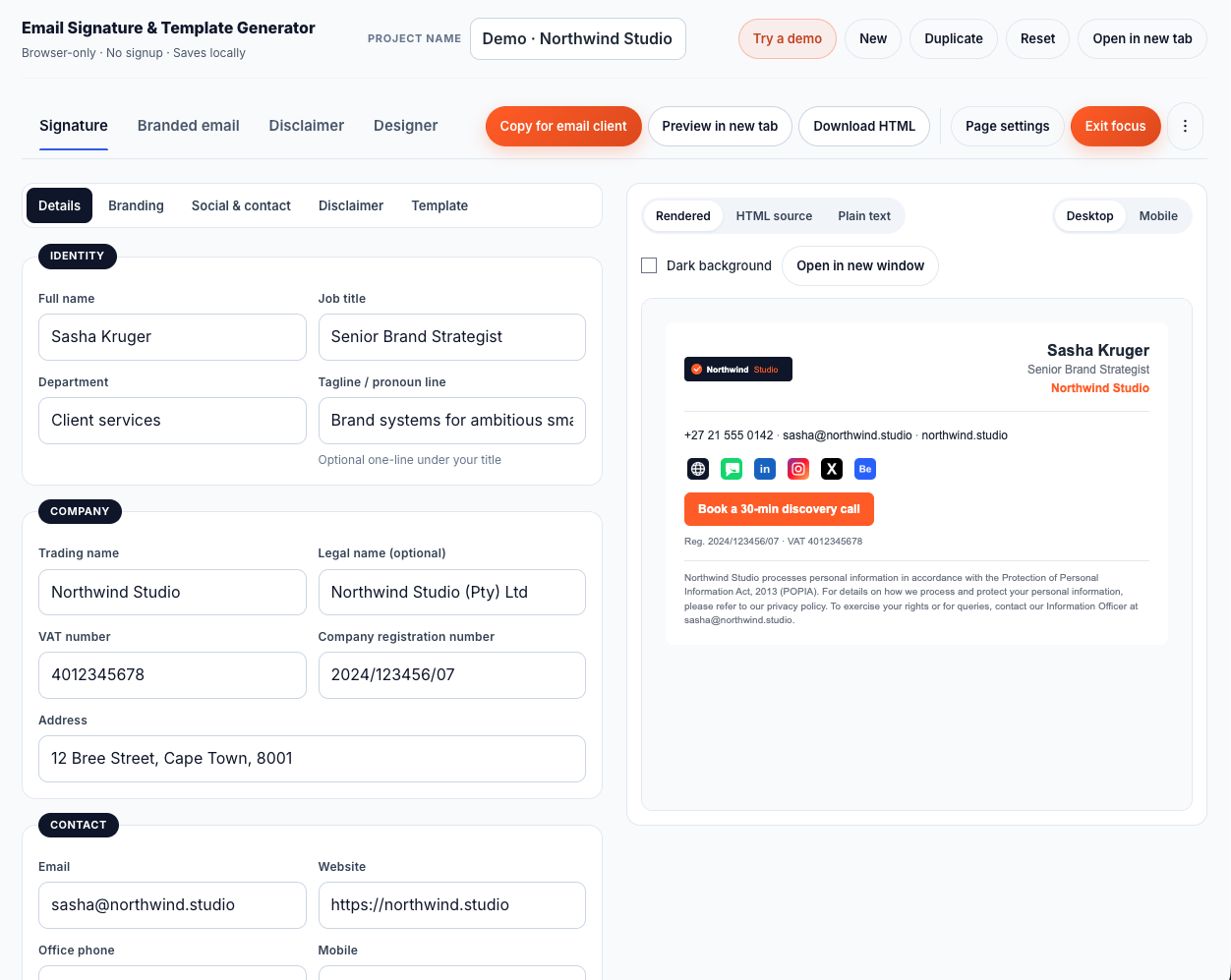
Branded email mode. A full email body, with header, banner, services grid and CTA, for the messages that need more than a signature. Ten templates: a general branded email, a quote follow-up, an invoice-sent, a payment reminder, an appointment confirmation, a meeting follow-up, a welcome, a support response, a project update, an announcement.
Disclaimer mode. A standalone block you can paste at the end of an email or hand to your IT person. Ten templates including a standard confidentiality block, a POPIA / privacy notice for South Africa, a virus disclaimer, a company-registration footer, a VAT footer, sector-specific blocks for legal, medical and financial services, an internal-company notice, and a custom slot where you write your own.
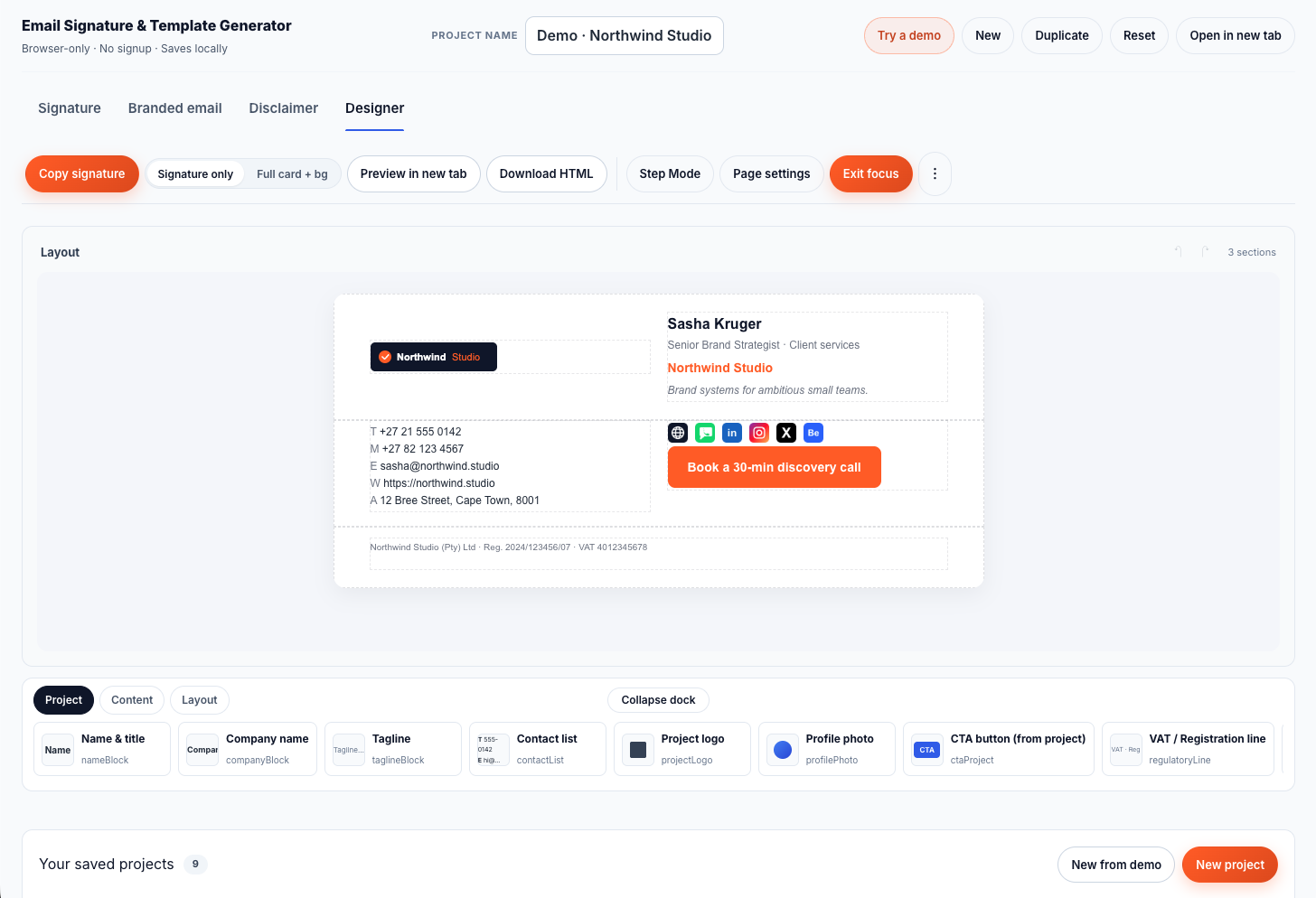
Designer mode. A drag-and-drop block canvas where you build a custom email layout from blocks. Sections that hold one, two or three columns. Inline content blocks (text, headings, buttons, images, contact list, social row, logo, profile photo, regulatory line, CTA) pulled from your project metadata so you do not retype your details. Drag-and-drop. Keyboard sort. Undo and redo. A four-box padding editor on every block. The whole tree compiles to email-safe HTML through a small in-browser compiler I wrote because the off-the-shelf email-template engines I tried kept silently bailing on edge cases.
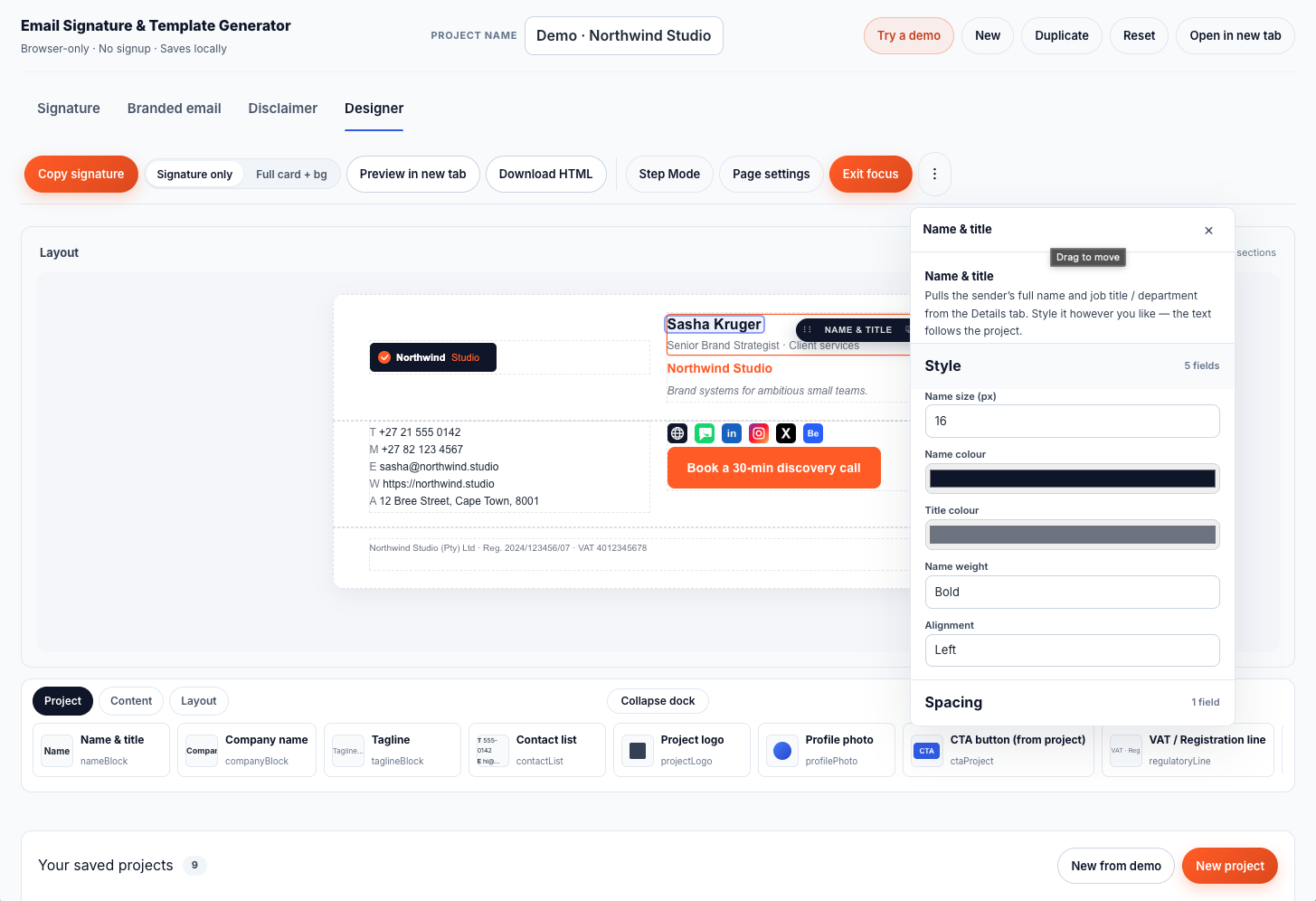
Selecting a block opens the properties panel on the right with named accordions. Style. Position. Spacing. The four-box padding editor on every block. No CSS to memorise; the panel writes the right longhand for you.
If you only need a clean signature, ignore the other three modes. They are there when you need them.
Email-Safe HTML, Where You Paste It
The output is table-based HTML with inline CSS, the way email clients still expect it in 2026. Three ways to get the output where you need it:
- Copy for email client. Click once, paste into Gmail, Outlook, Apple Mail or Thunderbird. The rich-paste lands the formatted version, not the source code.
- Preview in new tab. Opens the compiled HTML standalone so you can see exactly what will render before you paste.
- Download HTML. A fully-wrapped document with the right viewport meta and a body background. Useful if you are handing the file to a colleague or to your IT person.
Email-client rendering is not perfectly consistent across every Outlook version ever shipped. The compiler aims at the lowest-common denominator that Gmail, the current Outlook stack, Apple Mail and Thunderbird agree on. There is also a built-in compatibility checker that flags constructs known to misbehave.
Where Your Data Is Stored
Your name, email, phone, company details, profile photo and brand colours sit in your browser. The tool uses IndexedDB and localStorage. Nothing is uploaded to a server.
That is useful if you are POPIA-conscious. It also has a tradeoff: if you clear browser data, switch devices, or use private browsing, your saved projects can be lost.
That is why every project can be exported as a JSON file. Save it after you finish your signature. Especially before changing devices or clearing browser data. The same file imports back into the tool on another device.
Local control is useful. It also means backups are your responsibility.
I would rather flag that than hide it in fine print.
What It Does Not Do
It does not deploy signatures across an Office 365 or Google Workspace tenant. It does not enforce a brand-locked signature for every employee in your company. It does not phone home to track opens or clicks. It does not give legal, tax, POPIA, SARS or labour advice. The disclaimers it produces are templates, and you are responsible for whether the wording fits your business.
It is an email signature creator, not a brand-locked enterprise deployment platform.
If that is what you need, you have outgrown a browser tool, and I can talk to you about what to build.
Standalone Editor
There is also a standalone full-window route at /tools/email-signature-app. Add ?w=1 to the URL and the editor opens without the marketing chrome. Useful if you are handing the link to a colleague who just needs to build a signature and ship it.
Who This Is Built For
- Sole traders, freelancers and founders tidying up the basics.
- Micro and small businesses who want a professional signature without a SaaS subscription.
- Established SMEs setting a reference signature for the team to copy.
- In-house marketing and brand teams mocking up signature options before IT deploys.
- Agency and studio operators who care how the signature reads to a client.
- Bookkeepers and accountants advising clients on the basics of business email presentation.
- Legal, medical and financial practices of any size who need a defensible disclaimer block.
- Corporate professionals who just need a clean signature for themselves today, regardless of what the company rolls out tenant-wide.
- Anyone who has wanted to fix their email signature for two years and never got around to it.
When the Free Tool Is Enough
When you are happy to paste each person's signature into their email client once, your branding is stable, and you keep a JSON backup of each project, the free tool is enough, whether you are one person or a hundred.
You get a clean signature in minutes. You can produce a branded email body when you need one. You have a disclaimer block when the situation calls for it. The Designer canvas is there if you want a fully custom layout. The data does not leave your device.
For a larger company, this often is the right starting point. The brand or marketing team builds a reference signature in the tool, exports the HTML, and hands it to staff (or to IT) for whatever rollout method the company already uses.
When the Free Tool Is Not Enough
When you need every signature in a fifty- or five-hundred-person company to update centrally the moment a phone number changes. When you need brand-locked signatures that staff cannot edit out. When IT needs to deploy signatures across Office 365 or Google Workspace as policy. When you need an audit trail of who has the right disclaimer at the bottom of their email. When you need analytics on what links in the signature get clicked.
That is when you have outgrown a browser-only tool. That is when a real internal-tooling system makes sense, either off-the-shelf, or built around the platforms you already use.
That is the work I do for businesses that have outgrown a browser-only tool.
Use It
The tool is here:
It is free. It is not a trial. It will stay free.
If it helps you, share it with one operator who needs a tidy email signature.
If you have outgrown it, get in touch.
Built in Cape Town by Anton de Villiers, the developer behind BX1X.