A single page app is not just a website with one page.
For a business, a single page app is usually a focused interface that does one job properly.
It might generate invoices. It might compare payment gateway fees. It might help a customer choose the right medical aid plan. It might sit inside WordPress as a shortcode app, inside Shopify as a customer dashboard, or inside an admin system as the one screen the team actually needs.
The important part is not the acronym. The important part is the shape.
One workflow. One interface. Fast interaction. Clear rules. No page reload every time the user changes a field, filters a list, calculates a price, or moves to the next step.
That is why I use single page apps for business tools that are too specific for a plugin, too small for a full platform, and too important to leave in a spreadsheet.
The Business Definition
A single page app loads the application shell in the browser, then updates the screen as the user works. The browser does not need to request a completely new page for every small interaction.
That is the technical idea.
The business definition is simpler:
A single page app is a focused browser-based tool for one business workflow.
It can be tiny:
- a pricing calculator
- a payslip generator
- an invoice tool
- a quote builder
- a product selector
- a payment fee comparator
It can also be serious:
- a React dashboard inside WordPress admin
- a Shopify customer credit screen
- a CRM workflow view
- a medical aid plan selection journey
- an API-backed lookup tool
- an internal operations screen
What it should not become is an unclear half-platform. If the work needs accounts, roles, audit trails, billing, shared records, admin modules and long-term data ownership, then the answer is usually custom platform applications, not a small SPA.
The Three Kinds of Single Page Apps I Build
Most confusion around SPAs comes from treating all of them as the same thing.
They are not.
For business work, I split them into three lanes.
1. Browser-Only SPAs
This is the cleanest shape.
The app runs in the browser. Data is stored in IndexedDB or localStorage. The user can export a JSON backup. The output is usually a PDF, a print view, a calculation, a comparison, or generated HTML.
There is no account. No server-side database. No customer data being uploaded to my server.
This is the right lane for tools like:
- Free South African Billing App
- Free South African Payslip Generator
- Free Project Estimator
- Free Profit Margin Calculator
- Email Signature and Template Generator
- Payment Gateway Fee Comparator
- Compound Interest Calculator
- PayPal.Me Link Generator
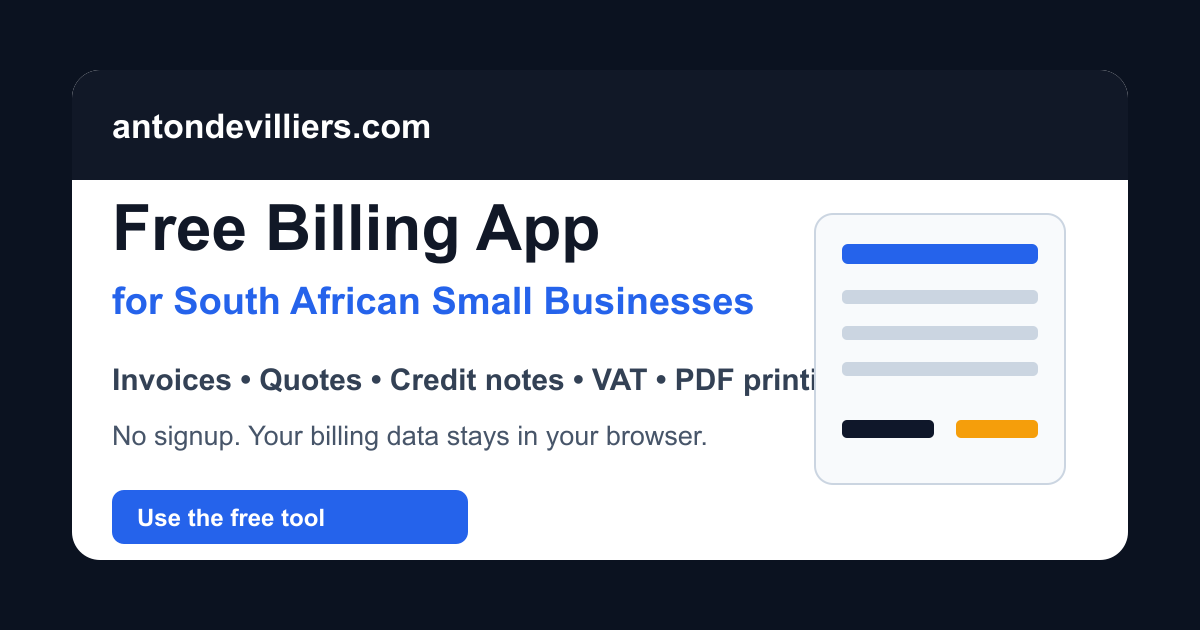
Browser-only is a good fit when the data is private to one user, the workflow is contained, and the output can be saved or exported by the person using the tool.
It is also a useful POPIA posture when personal information does not need to leave the device. That does not magically make a business compliant. POPIA is broader than where one tool stores data. But it does remove an entire class of server-side processing when the workflow can honestly stay local.
There is a tradeoff.
If the user clears the browser, changes device, or loses the computer, the local data can be lost unless they export a backup. That is why browser-only business tools should include JSON export, print or PDF output, and clear recovery expectations.
Browser-only is not weaker. It is just honest about scope.
2. API-Connected SPAs
Some workflows need live data.
The app may need to search records, read product data, write form submissions, sync with a CRM, pull prices from an ERP, or update a booking.
That is when the single page app becomes the front end, and the API becomes the data layer.
The SPA handles the interface. The API handles the real data, permissions, validation, storage, and communication with other systems.
This is where API servers and microservices matter.
An API-connected SPA can work with:
- REST APIs
- GraphQL APIs
- WordPress REST endpoints
- WooCommerce APIs
- Shopify Storefront or Admin APIs
- CRM and ERP APIs
- custom Node.js or PHP APIs
- database-backed internal services
The School Lookup App is a simple example. It used React inside WordPress and connected to Google Custom Search JSON API so users could search selected school domains from one focused interface.
The VIN Lookup App is another. It was a small JavaScript app inside a custom WordPress plugin, connected to an external API so users could look up shipping order details by VIN.
The Find-a-Surgeon app went further. React handled the search interface. PHP APIs and SQL handled data retrieval. Google geolocation and map APIs helped display location results.
In all of these cases, the app is still focused. The difference is that the browser is not the source of truth anymore. The browser is the interface.
That distinction matters for security, reliability, and POPIA. Once the app sends personal or business data to a server, the project needs normal data handling rules: access control, storage decisions, retention, processor agreements where needed, and clear responsibility for the data path.
3. Platform-Embedded SPAs
Many businesses already have a platform.
WordPress. WooCommerce. Shopify. A CRM. An ERP. A custom admin system.
The missing piece is not a new platform. It is one screen.
That is where embedded SPAs are useful.
The app can live inside the existing platform as:
- a WordPress shortcode
- a custom WordPress plugin
- a WooCommerce product selector
- a Shopify page section
- a Shopify customer dashboard
- a CRM admin screen
- a private dashboard inside an existing backend
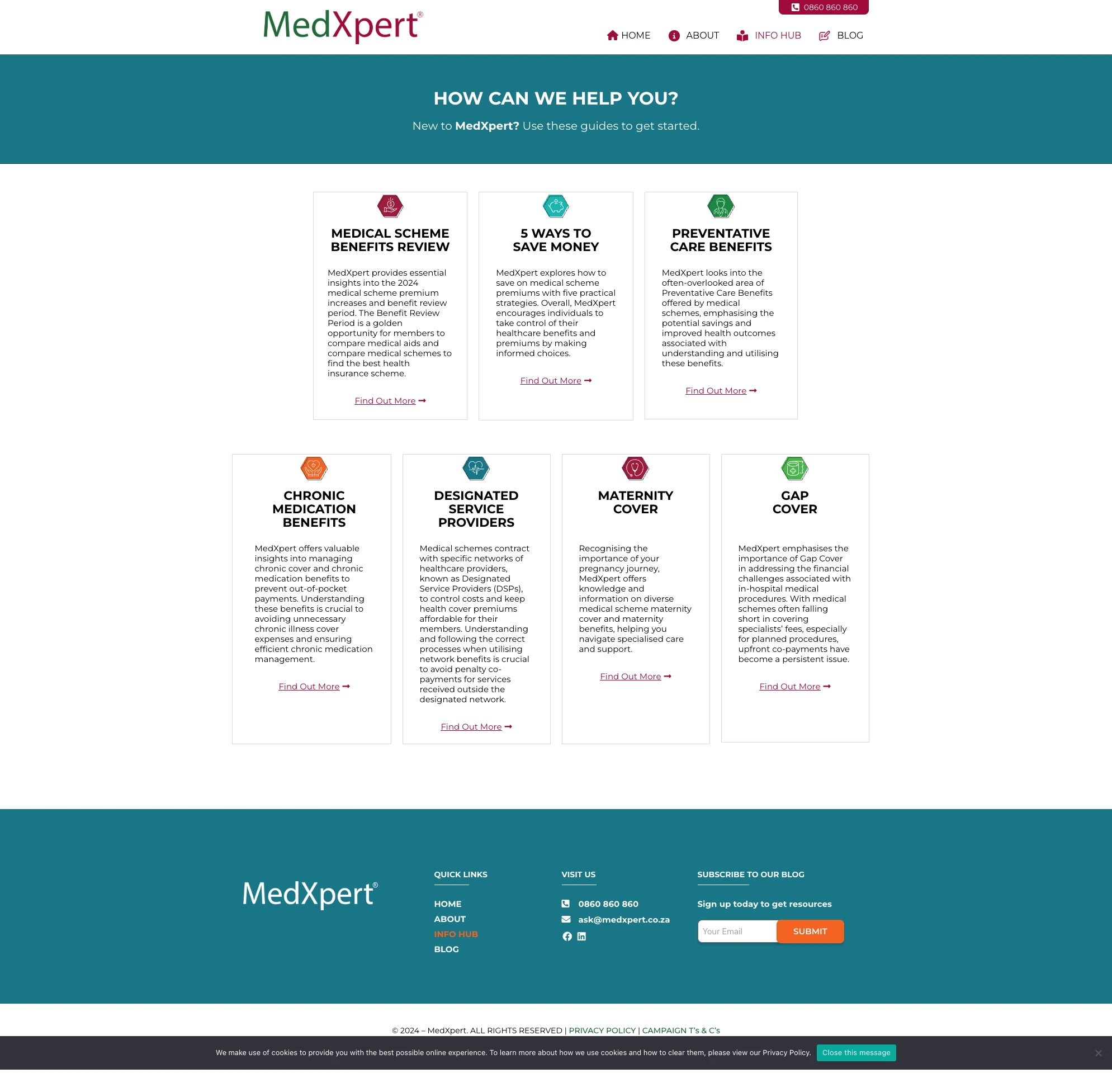
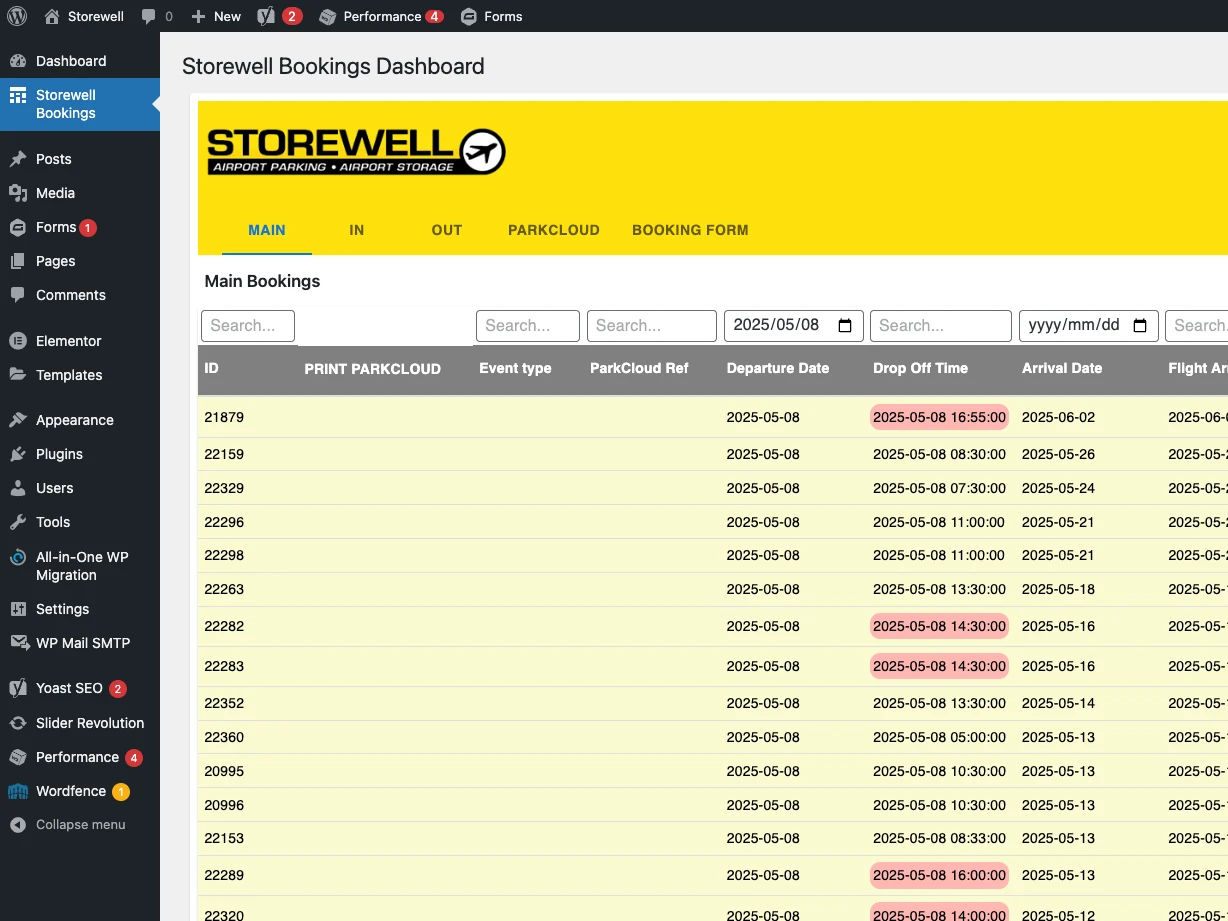
The Optivest MedXpert project is a good example. It is a React SPA embedded into WordPress for medical aid plan selection, with WordPress REST API communication behind it.
The Optivest Price Calculator is another. It is a standalone React SPA integrated through WordPress shortcode, using secured API data to calculate prices and pre-fill user details where access tokens are present.
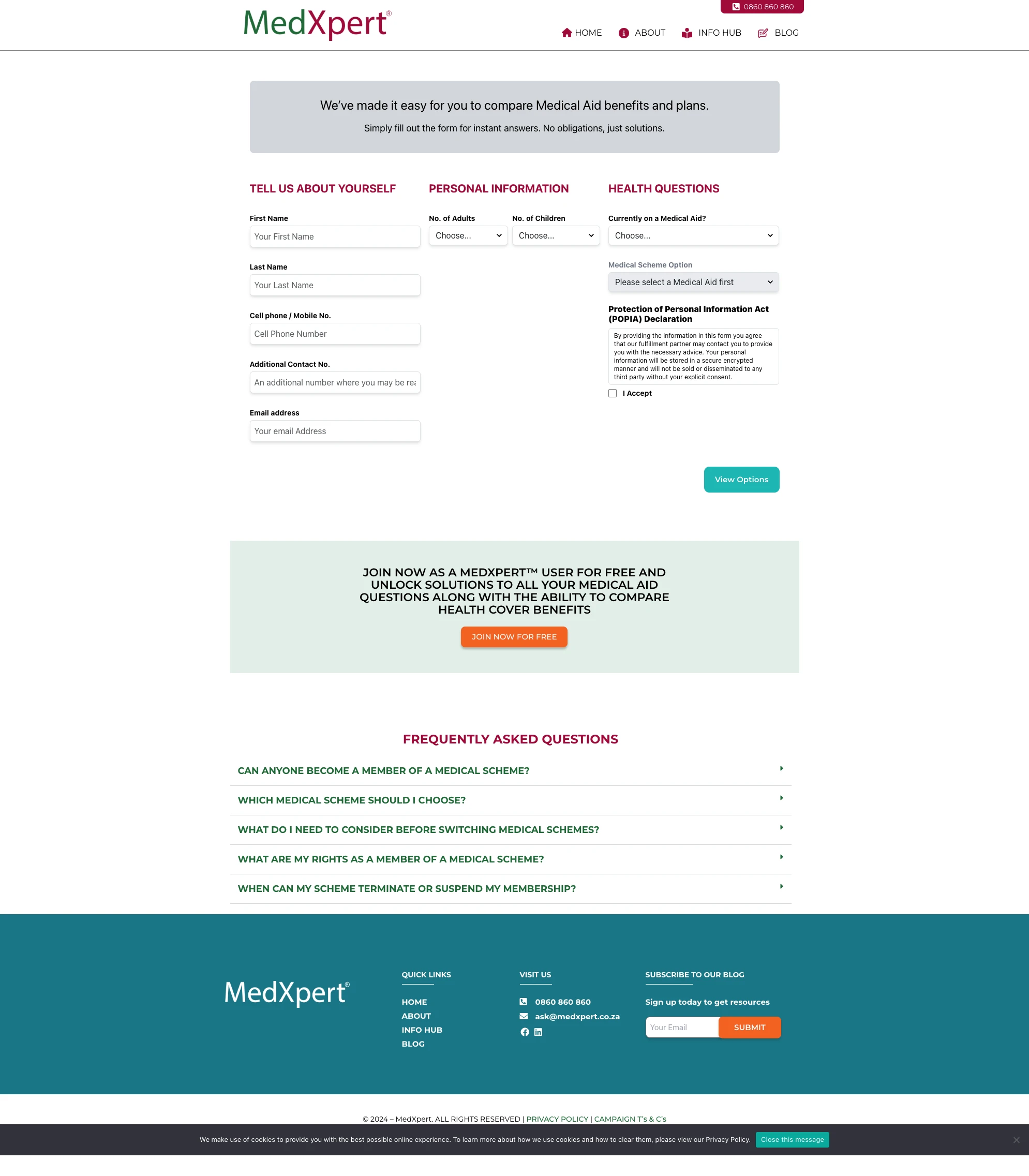
The Storewell Parking Booking dashboard shows the admin side of the same idea. WordPress stayed as the platform, but the business workflow needed a React dashboard, custom WordPress REST API endpoints, custom MySQL tables, Gravity Forms processing, and ParkCloud integration.
The Truly Essential Shopify Credit System used a different host platform. A React SPA was embedded into Shopify pages, with a custom Node.js API, Shopify APIs, Exigo ERP integration, and a MySQL balance ledger behind the scenes.
The ICA Custom Course/Product Selector follows the same embedded pattern for WordPress and WooCommerce: a public selection journey plus admin-side tooling around custom course data.
Platform-embedded SPAs are often the most practical option because they respect what the business already has. You do not throw away WordPress, WooCommerce, Shopify, or the CRM just because one workflow needs to be better.
You add the missing interface.
When a Single Page App Is Better Than SaaS
SaaS is good when the workflow is common.
Invoicing. Payroll. CRM. Scheduling. Accounting. Email marketing. Project management.
Use the standard tools when the standard workflow fits.
A single page app starts making sense when the workflow is narrow, specific, and repeated often enough to matter.
It is especially useful when:
- the spreadsheet has become operational risk
- the team keeps copying the same calculator
- a plugin handles 80 percent, but the missing 20 percent is the money part
- the public tool can become a search lead magnet
- the business needs exact rules, not approximate settings
- per-seat SaaS pricing does not make sense for the task
- the workflow belongs inside an existing website or platform
The goal is not to rebuild a SaaS product from scratch.
The goal is to replace a small broken process with a tool that matches the way the business works.
That is why single page apps for business sit between websites and full platforms. Smaller than a platform. More useful than a static page. More exact than a generic plugin.
When a Single Page App Is Not Enough
Some projects outgrow the SPA label quickly.
That is not a failure. It is a scope signal.
If the work needs shared accounts, permissions, tenant separation, invoices, subscription billing, audit trails, team collaboration, cross-device data, reporting, backups, admin roles and long-term records, it is probably a platform.
An SPA may still be part of the platform. Most serious web platforms have SPA-like screens somewhere in the interface.
But the project should be scoped as a platform, not sold as a small browser tool.
The practical line is this:
- If one user can complete the workflow alone, a browser-only SPA may be enough.
- If the workflow needs live or shared data, the SPA probably needs an API.
- If the business already has a platform, the SPA may be embedded into it.
- If the app becomes the system of record, it is platform work.
That line protects the budget and the build.
The Four-Question Test
If you are trying to decide what you need, start with these four questions.
1. Does the data need to leave the device?
If no, browser-only is worth considering. Keep the data local. Add JSON backup and PDF or print output.
2. Does more than one person need the same data?
If yes, you need a backend, an API, or a host platform storing the data.
3. Does another system already hold the truth?
If yes, do not duplicate the truth in the browser. Connect to the system that already owns it.
4. Does the business already have WordPress, WooCommerce, Shopify, a CRM, or an admin platform?
If yes, embedded may be the right shape. Add a focused screen instead of forcing another tool into the stack.
Those four answers usually expose the correct lane quickly.
Why This Matters for SEO Tools and Lead Magnets
A public SPA can also be a useful content asset.
Not a thin landing page. A real tool.
The billing app, payslip generator, project estimator, profit margin calculator and payment fee comparator all answer real search intent. People arrive because they need to do something, not because they want to read a service pitch.
That makes the tool useful before the sales conversation.
It also makes the surrounding content stronger. A blog post can explain the method. A service page can describe the offer. A local page can route Cape Town or South African buyers. The tool proves the capability.
The SEO detail matters here: if a page needs to rank, it should have crawlable content, normal links, sensible URLs and server-rendered or statically available text where possible. A private dashboard can be client-heavy. A public ranking page should not hide the useful content behind JavaScript-only routing.
For business buyers, the takeaway is simple:
Use SPAs for interaction. Do not use poor rendering choices to make the content invisible.
How I Route This Work
If you are reading because you want the general service, start with the main single page apps service page.
If you specifically want a single page app developer in Cape Town, use the Cape Town page. That page is written for local service intent and direct developer access.
If you are elsewhere in the country and want remote delivery, use the single page app developer in South Africa page.
If the work is mostly backend, data sync, integration, or write-back, the better starting point may be the API services page.
If the workflow is already bigger than one focused interface, start with the custom platforms page.
The Short Version
A single page app is the right shape when the business needs one focused workflow done properly.
Browser-only when the data can stay local.
API-connected when the workflow needs live data.
Embedded when the business already has WordPress, WooCommerce, Shopify, a CRM, or an admin system.
Platform work when the app becomes the system of record.
That distinction is the whole point. It keeps the build smaller, the scope clearer, and the tool closer to the work it is supposed to do.